
Muha Members
MMembers DevBusiness
4.4124.00 Reviews
- Version
- 2.0.3
- Installs
- 100.00K
- Age Rating
- Everyone
Screenshots
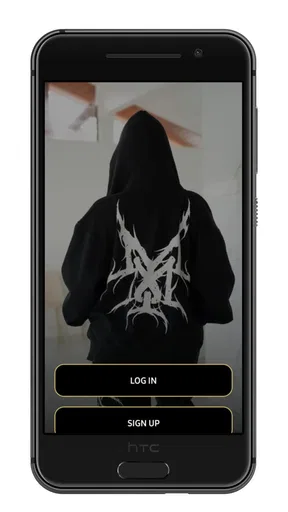
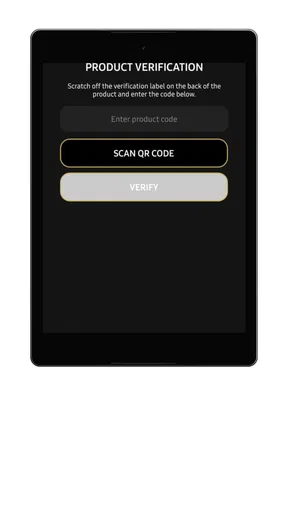
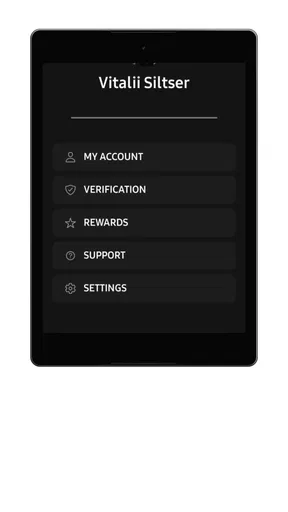
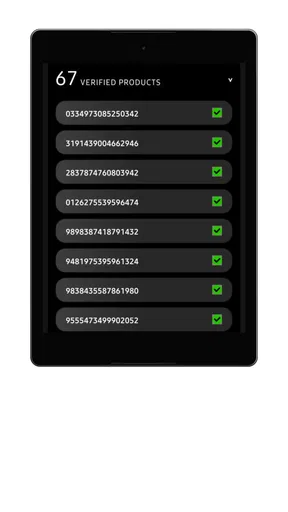
Our Review of Muha Members
 Analysis by Appyee
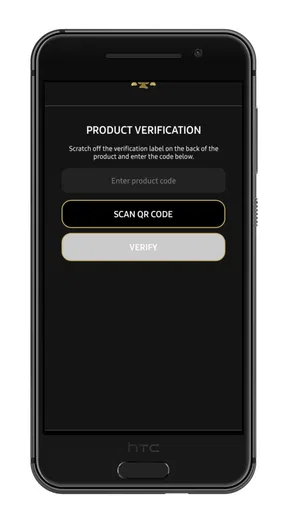
I approached Muha Members as a practical business utility rather than a general shopping companion. Its purpose is straightforward: scan a product code and use the result to help verify whether an item is authentic. That narrow focus is also its appeal. Instead of asking you to search manually, compare packaging photos, or rely entirely on a seller’s explanation, the app gives you a quick checking step at the moment you need it.
In my experience, that makes the app most useful when a product is in front of you and the decision is time-sensitive. You can scan before accepting an order, before putting stock on a shelf, or before handing an item to a customer. It is free, aimed at Everyone, and belongs in the business category, although ordinary buyers can find it useful too. MMembers Dev is the developer behind it, and the current release is version 2.0.3.
How the current version fits into a real verification routine
The central workflow is easy to understand: open the app, point the phone at the product code, and check the result. That simplicity matters because verification tools often fail in the small moments between receiving a product and making a decision. If the process takes too long, people skip it. Muha Members is built around avoiding that hesitation.
I would use it as one part of a receiving routine, not as a replacement for sensible inspection. A scan can support an authenticity check, but it should sit alongside the condition of the packaging, the seller’s reliability, the purchase record, and whether the product matches what was ordered. The strongest habit is to scan before the item disappears into storage or gets mixed with similar stock.
For a small shop, a useful workflow is to keep the phone ready at the receiving desk, scan each incoming item, and separate anything that needs a closer look. That approach turns the app from an occasional novelty into a simple control point. It also reduces the chance of relying on memory later, when several products have already been unpacked.
There is a less obvious benefit to scanning at the point of receipt: it creates a clear moment for resolving a problem. If a code produces an unexpected result, you can immediately compare the item with the invoice and contact the seller while the transaction is still fresh. Waiting until a customer asks questions makes the situation harder to untangle.
For personal purchases, I would not scan only when something looks suspicious. A consistent check is more useful than an emotional one. Counterfeit goods are not always poorly presented, and a familiar-looking package can encourage overconfidence. A quick scan before use or storage is a small step, especially when the purchase came through an unfamiliar channel.
The practical strengths of a focused scanner
The app’s strongest quality is concentration. It does not ask you to learn a large business system before doing the one thing you opened it to do. That makes it approachable for a first-time user and suitable for a workplace where not everyone wants training on another complicated dashboard.
It also fits situations where speed affects customer service. A staff member can check an item while speaking with a buyer instead of stepping away to search through a website. That does not guarantee a perfect decision, but it makes verification more likely to happen consistently.
Another useful detail is the distinction between scanning and trusting. I would treat the result as evidence, not as permission to ignore everything else. A matching code does not automatically answer questions about storage, damage, expiry, ownership, or whether the item was obtained through a trustworthy supply route. The app helps with authenticity checking; it is not a complete inventory, compliance, or purchasing system.
That boundary is important for businesses. If you need stock counts, purchase orders, supplier management, sales reports, or team permissions, a dedicated inventory platform will be a better fit. Muha Members is more like a focused inspection tool that can sit beside those systems. Its value comes from doing one task with less friction, not from replacing an entire back office.
What the release history tells existing users
The app launched on August 19, 2025, and version 2.0.3 is the release I would judge as the current product state. The move to a version beginning with two suggests that the app has progressed beyond an initial release, but I would avoid reading that number as proof of a particular feature set. A version label can show development maturity without explaining every change.
For someone already using an earlier build, the sensible approach is to update and then repeat a few normal scans before relying on it during a busy receiving session. Check the codes you commonly handle, confirm that the camera recognizes them comfortably, and make sure the result is clear enough for your workflow. This is more useful than assuming that a newer version automatically changes every part of the experience.
The current release matters especially for businesses that share a verification habit across several people. If one person uses an old build and another uses the current one, differences in behavior can create confusion when a result is discussed later. Keeping the team on the same version makes troubleshooting and training simpler, even when the task itself is uncomplicated.
At the same time, I would not promise that the version number means the app now covers every edge case. A newer release can improve the core experience while leaving broader business needs outside its scope. Users should judge it by the speed and clarity of their own scans, not by the expectation that a version update turns it into a full authentication service.
The public response is encouraging without being overwhelming: the app has a 4.4 average from around two hundred ratings, with over a hundred written reviews and more than one hundred thousand installs. Those figures suggest that real users are finding a reason to keep it around, but they are not a substitute for testing it with the particular products and codes you handle.
How it affects people who already have a routine
If you already verify products through a manufacturer page, a supplier portal, or a manual code lookup, Muha Members may reduce the number of steps between holding the item and seeing a result. That is its clearest advantage over the usual alternatives. A camera-based scan is generally more natural than typing a long code, especially when packaging is being handled repeatedly.
Manual checking still has a place. It can be preferable when the code is damaged, partly covered, reflective, or printed in a position that is awkward to reach. It is also useful when you need to keep a written record or compare several pieces of information beyond authenticity. In those cases, the app is a first pass rather than the final tool.
A browser search can be more flexible when you need background information, seller details, product instructions, or a wider investigation. The trade-off is that a browser workflow usually asks you to identify the right page and enter information accurately. Muha Members is better when the immediate question is simply whether the code can be checked quickly.
For a business already using barcode or inventory software, the app may be complementary rather than competitive. Inventory tools are designed to track movement and quantities; this app is centered on verification. Trying to force one into the role of the other would create unnecessary frustration. I would scan with Muha Members at intake, then use the normal stock system for everything that happens afterward.
One practical tip is to decide in advance what you will do with an uncertain result. Set aside the item, photograph its packaging for your internal record, and keep the invoice available for follow-up. The scan is most valuable when it triggers a consistent next step instead of becoming a result that nobody remembers a few minutes later.
Where the app may still feel limited
The narrow purpose that makes Muha Members approachable also limits it. People looking for a complete business workspace may find it too specialized. There is no reason to choose a code-verification app as the main tool for stock control, customer management, accounting, or supplier communication. Those jobs require different workflows and more structured records.
The scanning experience can also depend on the physical item. Glare, creases, low contrast, damaged printing, and an awkward camera angle are ordinary obstacles for any code scanner. When a scan fails, moving the phone slightly, improving the light, or cleaning the camera lens is a sensible first response. If the code itself is compromised, no scanning app can reliably recover information that is not readable.
I would also be careful about treating a successful scan as a complete guarantee. Authenticity is a broader question than whether a code is recognized. A copied or misused code could still create a misleading sense of confidence, while a legitimate item with a damaged label might require another form of confirmation. The app is useful because it adds a check, not because it removes the need for judgement.
Another consideration is workflow documentation. If your business needs an audit trail showing who scanned an item, when it was scanned, and what action followed, you should confirm that the app fits that requirement before making it central to operations. A quick result and a formal record are different needs. For a casual buyer, that distinction may not matter; for a regulated or high-volume operation, it can matter a great deal.
The Everyone age rating makes the app approachable for a broad audience, but accessibility in practice depends on the person using the phone, the lighting around the product, and the clarity of the code. A team should test the process with the actual staff who will perform it rather than assuming that a simple interface works equally well for everyone.
Who should use it and who should choose something else
I think Muha Members is a good match for independent retailers, receiving staff, resellers, and buyers who regularly encounter products where authenticity matters. It is especially sensible for people who want a quick check without adopting a large inventory platform. The free price also makes experimentation easy: you can try it with your normal purchasing routine without committing budget to a new business system.
It can also help a small team establish a shared habit. Instead of one experienced employee judging packaging by sight, everyone can begin with the same scan-first step and then escalate unusual cases. That does not eliminate expertise, but it makes the first check less dependent on one person’s memory.
I would skip it as a primary solution if your main requirement is detailed stock history, multiple warehouse management, sales integration, or formal reporting. A dedicated inventory or enterprise verification service will be more appropriate in those situations. I would also avoid relying on it alone for expensive or legally sensitive purchases where independent confirmation is essential.
For an occasional buyer, the decision is simpler. If you often purchase products from unfamiliar sellers, the app is worth trying because it adds a fast check at the right moment. If you rarely need to verify codes and already have a trusted, documented source for confirmation, it may not become part of your everyday routine.
What I would watch in future use
The most important thing to watch is consistency. Does the current release recognize the codes on the products you actually receive? Does it give a result quickly enough that staff continue using it during busy periods? Does the result lead to a clear action, or does the team still need to search elsewhere every time? Those answers will tell you more than the app’s download count.
I would also watch how well the product evolves around real business habits. Useful progress would mean less friction during repeated scans, clearer handling of unusual results, and better support for people who need to move from a scan to a documented decision. I am separating those expectations from confirmed capabilities: they are the areas I would want to see strengthened, not features I would claim are already present.
Existing users should pay attention to update notes and test the workflow after each meaningful release. A quick trial with familiar items can reveal whether the experience has changed before the app is used for a large delivery. That small precaution is particularly worthwhile when several employees depend on the same process.
My overall view is positive but measured. Muha Members is a focused, free business app from MMembers Dev that makes product-code verification more convenient than many manual alternatives. Its current version, 2.0.3, shows an actively developed product, while its best role remains clear and limited: use it as a fast authenticity check, then apply human judgement and the appropriate business records around the result.
If that is the problem you are trying to solve, I would recommend giving it a place in your receiving or purchasing routine. The smartest way to use Muha Members is as a quick first line of verification, not as the only proof that an item is genuine. That distinction keeps its strengths useful while preventing the app from being asked to do a much larger job than its focused design suggests.
Verdict
Strengths of Muha Members
- Simple way for members to stay updated on Muha news and announcements.
- Convenient access to member-focused content from a mobile device.
- Can help users discover events, activities, or community opportunities.
- Useful for keeping Muha-related information organized in one place.
- May strengthen communication between members and the organization.
Limitations of Muha Members
- Its usefulness depends heavily on how frequently Muha updates the content.
- Some features may require an active membership or account registration.
- New users may need time to understand the app’s member terminology.
- Limited value for people who are not involved with the Muha community.
- Notifications could become distracting if too many updates are enabled.
Similar Picks in This Category
View All
LinkedIn: Community & Network
LinkedIn3.8

Zoom Workplace
zoom.com4.1

Microsoft Teams
Microsoft Corporation4.6

Meta Business Suite
Meta Platforms, Inc.4.6

Webex Meetings
Cisco Systems, Inc.4.5

TeamViewer Remote Control
TeamViewer4.4
Frequently Asked Questions
What is Muha Members, and what can I do with it?
Muha Members is a membership-focused application designed to give registered users access to member benefits, account information, promotions, and other services offered by the Muha platform. After signing in, users can typically review available offers, manage their profile, and receive updates. The exact features may depend on your location, membership level, and the current version of the app.
Do I need an account or membership to use Muha Members?
Yes, most of the useful functions in Muha Members are intended for registered members. You may need to create an account or use credentials supplied by the organization before accessing member-only content. During registration, check that your personal details are correct and review any membership terms, privacy information, and eligibility requirements before completing the setup process.
Is Muha Members free to download and use?
The application may be free to download, but downloading it does not necessarily mean that every service is free. Some benefits, products, events, subscriptions, or membership tiers could involve separate costs. Before making a payment, carefully check the displayed price, renewal conditions, cancellation rules, and whether charges are handled through the app store or directly by Muha.
Is my personal information safe when using Muha Members?
Muha Members may require information such as your name, email address, membership details, or payment-related data, depending on the services you use. Before signing up, read the app’s privacy policy and review the permissions requested on your device. Use a strong, unique password, avoid sharing login details, and install updates to benefit from available security improvements.
What should I do if Muha Members does not work or I cannot log in?
If Muha Members fails to open, displays errors, or rejects your login, first check your internet connection and confirm that you are using the latest version from the official app store. Restarting the app or resetting your password may help. If the problem continues, use the official Muha support channel and provide your device type, app version, and a clear description of the issue.
